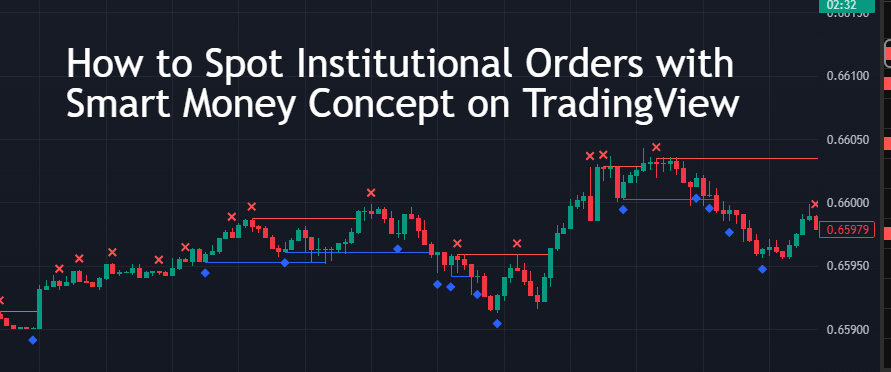

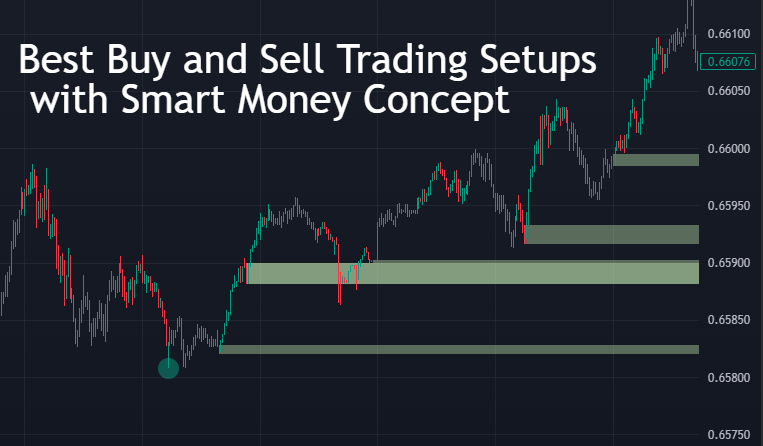
Best Buy and Sell Trading Setups with Smart Money Concept
Trading has changed a lot in the past few years. Many traders now focus on the Smart Money Concept (SMC) instead of old lagging tools. Smart Money Concept is all about following how big institutions trade. These institutions move the market with large positions, and retail traders often lose by trading against them. If you want to succeed, you must learn to trade like the “smart money.”
In this article, we will explore the best buy and sell setups using Smart Money Concept. We will also show how you can use TradingView indicators to spot these setups clearly.
What is the Smart Money Concept?
Smart Money Concept is a trading approach that looks at how banks, hedge funds, and other big players create price movements. Unlike normal traders who depend only on RSI, MACD, or simple moving averages, smart money traders look for:
-
Liquidity zones
-
Order blocks
-
Market structure shifts
-
Stop hunts
-
Breaker blocks
-
Fair value gaps
By reading these elements, you can understand where the price is most likely to reverse or continue.
Why Best Buy and Sell Trading Setups with Smart Money Concept Work Better
-
Follows the real market movers – Institutions control price with large buy and sell orders.
-
Focus on liquidity – Price always moves to collect stop losses before the real move.
-
High risk-to-reward setups – Smart Money setups often provide trades with small stop-loss and big profit targets.
-
Works in all markets – Forex, crypto, stocks, and indices.
Buy and Sell Setup #1: Order Block Trading

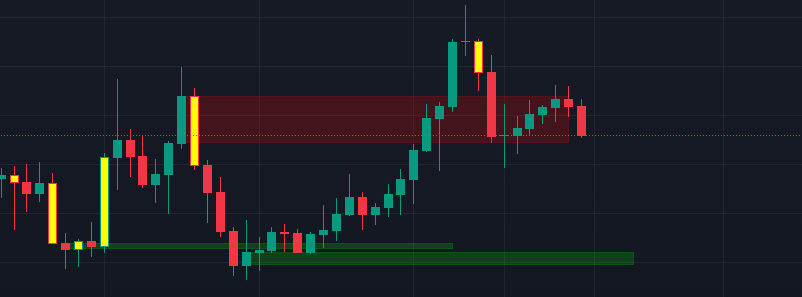
Order blocks are zones where institutions have placed large buy or sell orders.
-
Buy Setup: Look for a bullish order block after a market structure break. When the price comes back to retest the block, enter a buy trade.
-
Sell Setup: Look for a bearish order block after a lower-high structure. When price retests the block, enter a sell trade.
On TradingView, you can use Smart Money Order Block Indicators to mark these zones automatically.
Buy and Sell Setup #2: Liquidity Grabs
Institutions often push prices above resistance or below support to grab liquidity before the real move.
-
Buy Setup: If price sweeps below previous lows but quickly moves back up, this is a liquidity grab. Enter a buy trade.
-
Sell Setup: If price sweeps above previous highs and then falls, this is a bearish liquidity grab.
A liquidity grab indicator on TradingView can highlight these fake breakouts so you don’t get trapped.
Buy and Sell Setup #3: Market Structure Breaks
Market structure shows the trend direction. Smart Money Concept uses structure shifts to confirm new trends.
-
Buy Setup: When price forms higher highs and higher lows after breaking key resistance, it’s a bullish structure shift.
-
Sell Setup: When price forms lower highs and lower lows after breaking support, it’s a bearish structure shift.
A market structure indicator on TradingView automatically detects these shifts and marks them for you.
Buy and Sell Setup #4: Fair Value Gap (FVG)
Fair Value Gaps are imbalances where price moves too quickly without filling orders. Institutions often return to fill these gaps.
-
Buy Setup: Wait for the price to return into a bullish fair value gap and buy.
-
Sell Setup: When price fills a bearish fair value gap from above, enter a sell.
Non-repainting FVG indicators on TradingView can mark these zones clearly.
Buy and Sell Setup #5: Supply and Demand Zones
Supply and demand are part of the Smart Money Concept.
-
Buy Setup: Demand zones appear when buyers create strong upward moves. Enter when the price retests the zone.
-
Sell Setup: Supply zones appear when sellers push the price down. Enter short trades on retests.
TradingView has supply and demand indicators that auto-mark these areas.
How to Use Indicators for SMC
While you can draw levels manually, TradingView indicators save time and give accuracy. The most useful indicators for the Smart Money Concept are:
-
Order Block Detector
-
Liquidity Grab Indicator
-
Market Structure Break Indicator
-
Fair Value Gap (FVG) Tool
-
Supply and Demand Zone Indicator
These tools highlight setups automatically so you don’t miss opportunities.
Example of a Buy Trade
-
Market structure shifts to bullish (higher highs and higher lows).
-
Liquidity grab below support happens.
-
Price returns to a bullish order block.
-
Entry at the order block zone with a stop below the low.
-
Exit at the next resistance or supply zone.
This simple setup offers a high reward with low risk.
Example of a Sell Trade
-
Market structure shifts to bearish (lower highs and lower lows).
-
Liquidity sweep above resistance happens.
-
Price returns to a bearish order block.
-
Entry at the block with a stop above the high.
-
Target the next demand zone or support.
This is a classic Smart Money sell setup.
Tips for Success with Smart Money Concept
-
Always confirm setups with multiple signals (order block + liquidity grab + structure break).
-
Trade only on liquid markets like Forex majors, gold, or Bitcoin.
-
Use TradingView alerts to catch setups in real-time.
-
Keep risk small (1–2% per trade).
-
Backtest your strategy before going live.
Why Use TradingView for Smart Money Concept
TradingView is the most powerful charting platform for Smart Money traders. It offers:
-
High-quality SMC indicators
-
Customizable alerts for setups
-
Easy drawing tools for zones and structures
-
Works on forex, stocks, crypto, and commodities
If you want consistent results, combining Smart Money Concept + TradingView indicators is the best approach.
Conclusion
Smart Money Concept is the most advanced way to trade. Instead of chasing signals, you trade like institutions. By learning order blocks, liquidity grabs, fair value gaps, and structure breaks, you can find high-probability buy and sell setups.
Using TradingView indicators makes this process even easier. They highlight zones, mark liquidity, and show structure shifts. With practice, you will learn to trade in harmony with smart money, not against it.
If you want to improve your trading results, start applying Smart Money Concept setups today with the right TradingView tools.